The corridor fits the grid, every doorway connects, and the level is quick to assemble. Then someone plays it. The same broken panel appears at every turn, the rooms share an unmistakable rhythm, and adding more props only makes the spaces busier. The geometry is reusable, but the places are still difficult to tell apart.
Successful modular game environments need two plans working together: how the pieces combine and how each location develops a distinct identity. This guide follows a hypothetical research outpost to show how environment artists, level designers, and art leads can define a useful kit, control variation, and decide when the system is ready for wider production.
Turn the Blockout Into an Asset Plan
Start with spaces that test different demands. For the outpost, use a loading bay, a narrow maintenance passage, and an observation room, including the routes that connect them. Review the blockout from the intended gameplay camera and record which dimensions support movement, encounters, and sightlines before deciding what the architecture can change.
Identify Families and Missing Connections
For this hypothetical outpost, begin with a wall bay, floor section, ceiling panel, and door surround shared across all three spaces. Add an inside corner, end cap, and ceiling transition so those pieces can connect. The loading bay can repeat wall bays vertically, the maintenance passage can use the lower ceiling, and the observation window can remain a separate asset with defined connections to the shared walls.
A modular asset list should record each piece's role, compatible neighbors, and expected use. That makes priorities visible: a ceiling transition may unlock connections between rooms, while another decorative wall only changes appearance. Planning modular environment kits this way also exposes omissions. If several placements need the same missing end cap, it belongs in the core kit.
Choose Where Reuse Should Stop
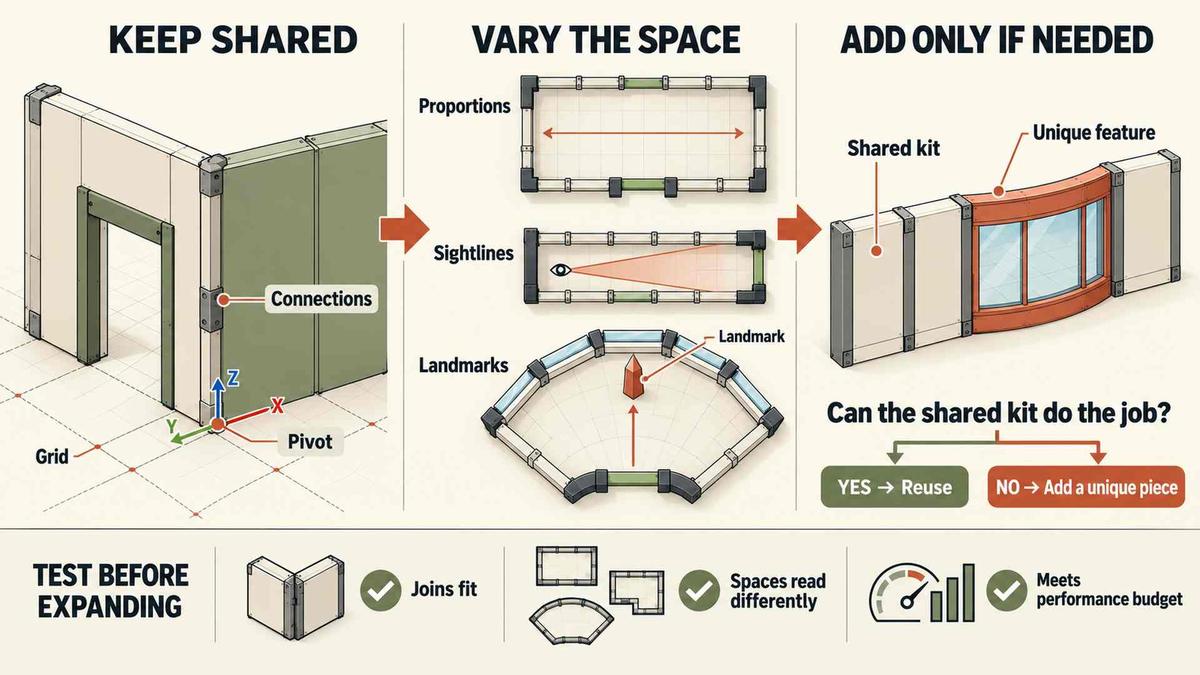
The observation room's panoramic window may justify a dedicated frame while its surrounding walls remain modular. The decision depends on how often the feature appears and how much adjustment the shared kit requires. If adapting reusable game assets repeatedly damages proportions or demands special fillers, compare that assembly work with building one bespoke element and documenting its connection points.
The production scope for game art and 3D assets connects environment work with modeling and engine preparation. A useful brief should make that relationship concrete: list the shared construction families, the approved exceptions, and who can change their dimensions. Otherwise, a seemingly local improvement to a doorway can force changes across several rooms that already use it.
Establish Connections That Survive Assembly
A reliable modular kit depends on conventions another artist can follow. Agree on units, grid increments, and each piece's footprint - the space it occupies in the assembly system. Define the pivot used for placement and rotation, record permitted rotations and scaling, and include an example that shows how those rules work at a real junction.
Test a Loop and a Height Change
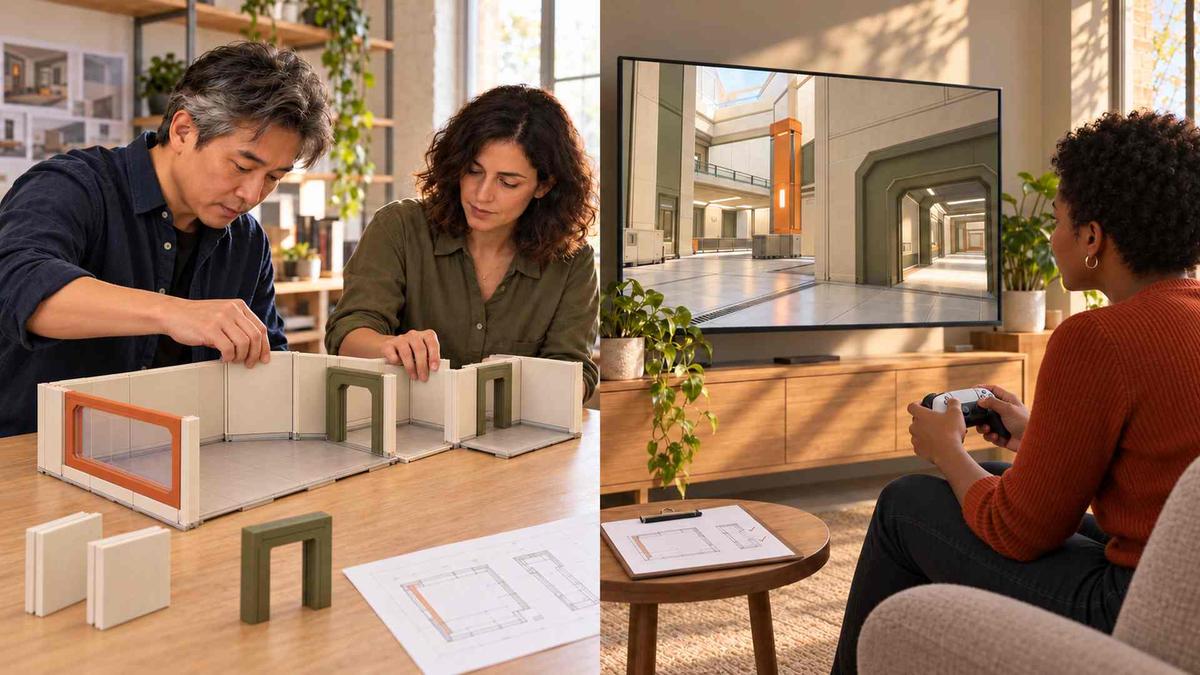
Connect the outpost's three spaces into a route that returns to its starting point. A closed loop exposes accumulated dimension errors that an open corridor can hide. Include the loading bay's taller ceiling and the maintenance passage's lower opening. If a connection requires an undocumented offset every time, the kit is missing a transition piece or the construction rules are inconsistent.
Wall thickness and exposed edges need explicit decisions too. A ceiling may meet the wall directly or use a designed trim piece to cover the junction. Either approach can work when it is intentional. Debris placed over a gap is a dressing choice; it should not become the undocumented method that makes every connection appear finished.
Check Playable Clearance Separately
A doorway can look wide enough while collision geometry still restricts movement. Test openings with the actual controller, relevant actions, and camera behavior. For the maintenance passage, check the approach and the turn through the entrance, not just a straight walk down its center. Decorative additions should respect the playable clearance established by level design unless that change has been approved.
Keep Surfaces Coherent Across Pieces
An accurate geometric join can still look patched together if neighboring panels use different texture scales or directions. Decide how surface patterns continue across boundaries before detailing every module. Material planning belongs alongside dimensional planning because the same repeated joint may otherwise need individual correction wherever it appears in the level.
Texel density describes texture resolution relative to surface size. Establish a consistent target where surfaces need comparable detail, then check the visible scale of features such as brick courses or panel grain. Matching resolution alone does not align a pattern; UV orientation, tiling, and the intended construction break also matter when two pieces meet.
For the outpost, shared metal panels could use a repeatable surface, with a trim sheet supplying reusable border details. Check whether patterns continue across joints or stop deliberately at frames. Test both a long run and a corner. Distinctive stains are better handled as separately placed treatments when baking them into every panel would reveal obvious repetition.
Give Locations Different Roles and Silhouettes
The environment concept art guide connects visual direction with gameplay needs. Carry those priorities into assembly. The loading bay should read differently from the observation room because their functions differ, even when they share construction pieces. Begin environment art variation with enclosure, proportions, and important views before spending production time on extra surface treatments.
Change the Arrangement Before the Asset
In the loading bay, leave tall wall bays exposed and preserve space around a large entrance. In the maintenance passage, pipes and partial screening can compress views without changing the underlying wall family. The observation room's window creates a distinct silhouette and destination. The same reusable game assets can therefore support different contexts while keeping the architecture recognizably part of one facility.
Variation still needs limits. Keep structural spacing and trim profiles consistent unless a location has a clear reason to depart from them. Reserve the panoramic opening for the observation area. Repeating its distinctive shape throughout the outpost would weaken it as a navigation cue, even if every room used different colors and props.

Add Surface Changes With a Cause
Once the spaces read differently, dressing can explain their use. Handling marks may belong near loading equipment; a repaired panel can indicate maintenance access. Specify which material changes are allowed and which features stay fixed. Random combinations are harder to review because an artist cannot tell whether an unusual result is intentional, acceptable, or a mistake.
A request for environment art variation should identify the signal that is repeating. If players recognize the same room outline, another stain will do little. If one conspicuous scratch exposes an otherwise convincing wall system, change that surface treatment first. Add geometry when the unresolved difference involves shape, connection, or function that the existing pieces cannot reasonably provide.
Separate Authoring Savings From Rendering Cost
A small asset library does not prove that a modular environment is efficient at runtime. Unreal Engine's instanced static mesh system can group repeated meshes, but material choices and scene configuration still need evaluation. Build a representative route through the outpost and profile it on the target hardware with the intended lighting, collision, and dressing rather than judging isolated pieces.
Small modules allow local changes but require more placements; larger assemblies reduce placement work while making edits less flexible. If profiling shows substantial CPU time spent submitting repeated panels for rendering, test compatible panels as instances and compare frame timings on the same route. If expensive materials dominate GPU time instead, investigate shader cost before reorganizing the kit.
Use the broader game-ready asset requirements alongside these comparisons. Keep camera movement, lighting, and dressing consistent so the results have a meaningful baseline. Also check editing effort and visibility behavior after regrouping geometry. An improvement in one measured cost may justify changing a repeated wall assembly without imposing the same construction on rooms that still need frequent layout revisions.
Approve a Working Kit Before Expanding It
Ask another artist to assemble the route using the supplied documentation. Repeated manual corrections reveal assumptions that the original creator may overlook. The handoff for modular environment kits should explain naming, allowed transformations, and expected combinations, with an example scene showing reusable game assets assembled correctly. Record every workaround before deciding whether it is a documented exception or a defect in the kit.
For visual review, capture the three spaces from the gameplay camera with incidental props and surface decals hidden. Ask reviewers to identify each location and the structural cue they used, then walk the connecting route. Confusion points back to layout or landmarks. Restore dressing for the final technical test and apply these acceptance criteria:
- Standard connections assemble without undocumented offsets, fillers, or corrective scaling.
- Reviewers can distinguish all three locations by spatial structure or landmarks without relying on incidental dressing.
- The representative scene meets the agreed performance budget and playable-clearance requirements.
Conclusion
Expand a modular environment system only when the shared pieces support both dependable assembly and recognizable places. If the outpost fails a connection test, repair the kit before adding detail. If its rooms still feel interchangeable, revise their spatial roles before ordering more variants. Approve the next production step against the failed criterion, and keep the tested route as a reference whenever the library changes.
Frequently Asked Questions
What are modular game environments?
They are game spaces assembled from reusable components, such as walls and floors, following shared construction rules.
How can reused assets avoid looking repetitive?
Vary room proportions, sightlines, and landmarks before adding controlled material changes or props.
When should a team create unique assets?
Use dedicated geometry when shared pieces cannot support an important silhouette, connection, or gameplay requirement without awkward adjustments.
How should a modular kit be tested?
Have another artist assemble representative spaces, then check connections, visual distinction, collision, camera clearance, and performance on target hardware. Repeat these checks after foundational kit changes.