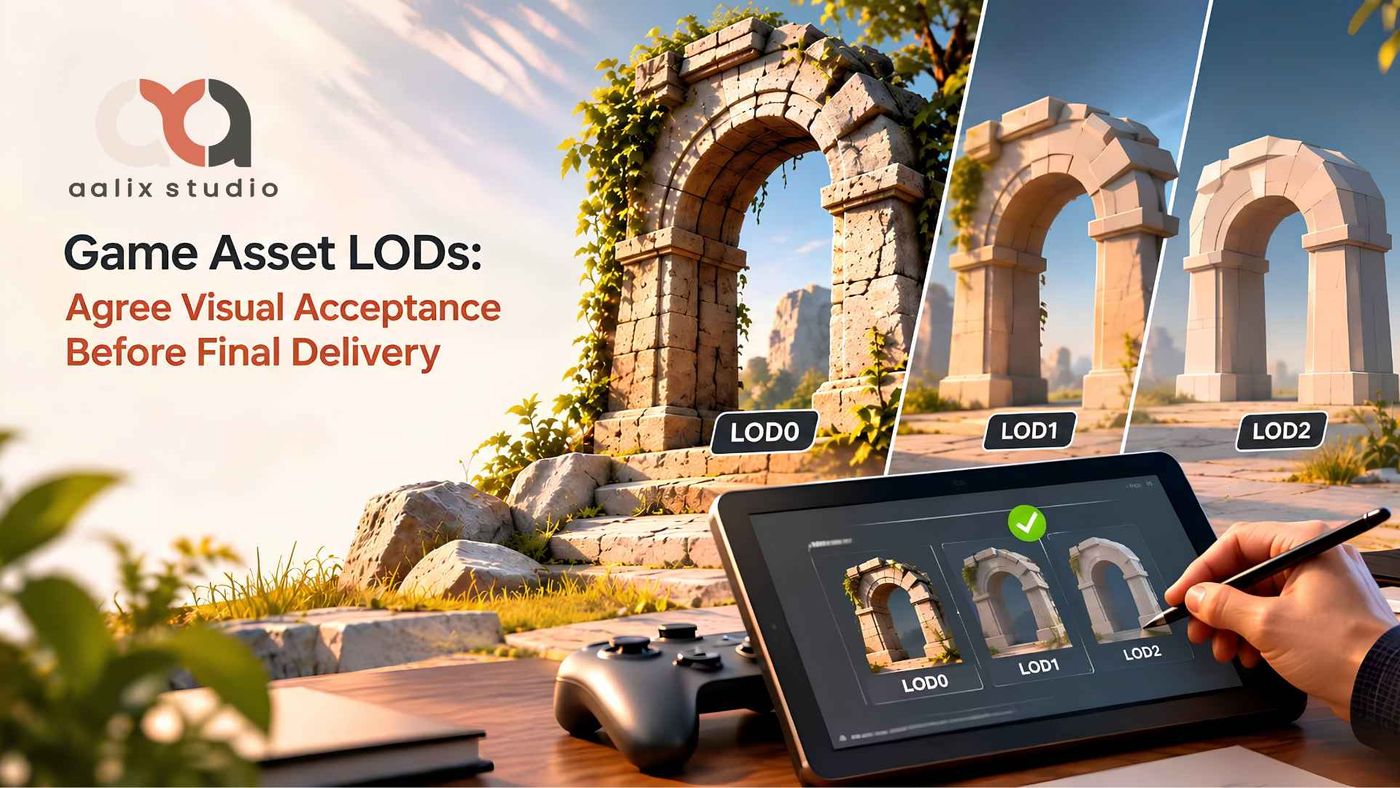
The lower detail meshes meet the triangle targets, but a doorway changes shape as the player approaches. The artist sees a reasonable reduction; the reviewer sees a distracting switch. Neither can resolve the disagreement from the delivery specification because it describes quantities without defining what the player should still see.
Approving game asset LODs requires a shared viewing test before the final export. Level of detail (LOD) means using simpler mesh versions as an object occupies less of the screen. Producers, art leads, and technical artists need to agree which visual changes are acceptable and who can approve exceptions. This article covers conventional static props and environment pieces, where separate mesh versions replace one another as their projected size changes.
Establish What the Approval Covers
A request for game asset LODs should identify the asset family, intended gameplay role, target platform, and delivery boundary. State whether the artist supplies only the meshes or also configures their selection inside the engine. Otherwise, an acceptable source mesh can fail after import while each team assumes the other owns the settings.
Treat triangle limits as constraints, not visual approval. A reduced mesh may fit its budget while losing an opening, flattening a curved profile, or changing the apparent construction of an object. Conversely, a version that looks convincing may exceed its agreed cost. Both conditions need a decision; neither cancels the other.
Aalix Studio's game art and 3D asset expertise connects modeling with production requirements and engine preparation. For an LOD commission, make that connection explicit in the brief: identify the reference scene, the responsible reviewer, and the evidence expected with delivery. The agreement should make approval reproducible by someone who did not create the asset.
These checks do not replace deformation tests for skinned characters or validation of a virtualized geometry workflow. If the delivery uses either, define its additional evidence separately. A conventional static mesh test should not silently become the acceptance standard for a different rendering or animation system.
Define the Viewing Conditions Before Reduction
Useful LOD acceptance criteria describe the circumstances of judgment as carefully as the mesh itself. Agree on a representative asset before extending the approach across a batch. Choose one with features likely to expose reduction problems, rather than an unusually forgiving shape that makes every version appear acceptable.
Fix the Camera and Platform Baseline
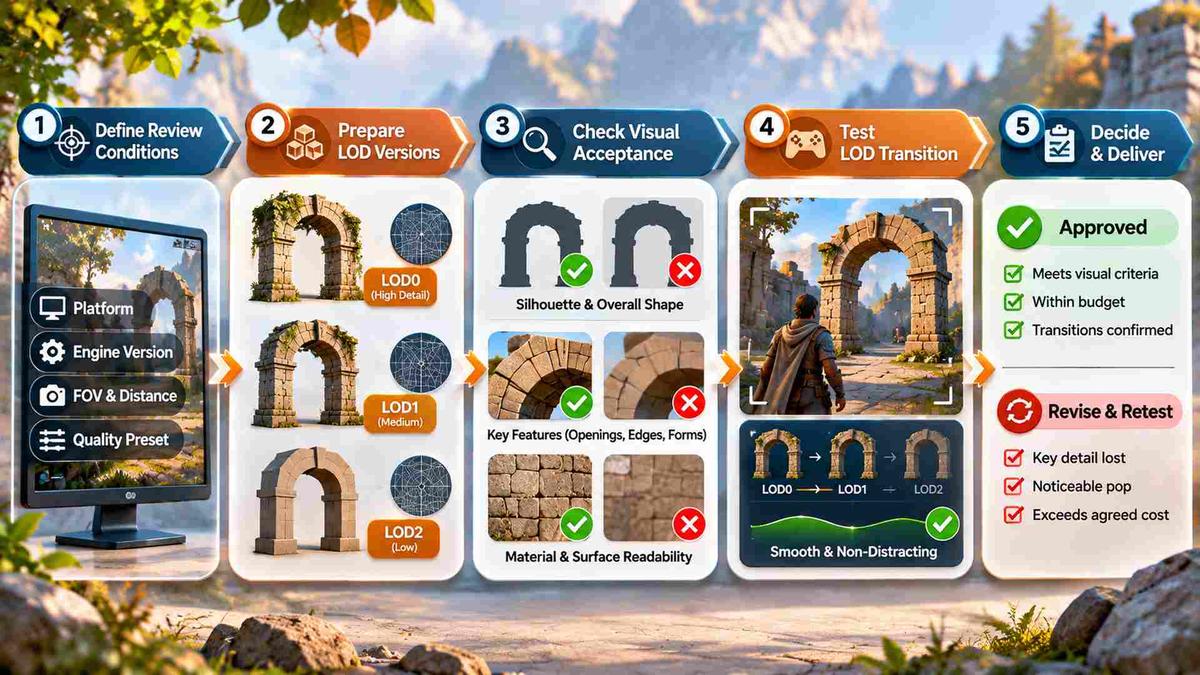
Record the engine version, rendering path, platform, quality preset, output resolution, and camera field of view. Include the closest permitted view and any zoom or inspection mode. A distance alone is an incomplete reference: changing the camera can alter how large the same object appears and therefore how obvious a simplification becomes.
Record the engine's actual selection settings too. Unity's LOD Group thresholds use an object's screen height relative to the view; Unreal Engine also provides screen size controls and platform overrides. Do not copy numerical thresholds between engines as if they described identical measurements. Save the agreed configuration alongside the review scene so another reviewer can reproduce it.
Identify Features That Must Remain Readable
For each asset, name the features that carry identity or function: a handle's open center, a doorway's outline, or the spacing between a railing's uprights. Specify where each must remain visible. Tiny fasteners can disappear earlier than a gameplay cue, even when preserving the fasteners would be easier for the reduction tool.
Use annotated reference views to show acceptable losses and unacceptable changes. A silhouette comparison can reveal a collapsing curve, but it cannot establish whether a control remains recognizable under its final material. LOD acceptance criteria should therefore describe observable results rather than relying on phrases such as minimal popping or acceptable quality.
For a hypothetical service door, require its handle opening to remain distinct throughout the interaction camera range. Recessed screws may disappear at the next level if the door outline matches the approved views. If the opening stays readable and the budget passes, approve that version. If it fills in, request a correction. If preserving it would exceed the budget, record the proposed compromise for the named approver rather than silently relaxing the requirement. Save the comparison views and affected level pairs as evidence for judging game asset LODs and their LOD transitions.
Review Shape and Surface Separately
An automatic reduction is a candidate for review, not proof that game asset optimization is complete. Unreal Engine's simplification tools estimate visual error while removing geometry, but the resulting mesh still needs project context. A feature that contributes little to the overall shape may nevertheless carry a specific gameplay meaning that the tool cannot judge.
Compare Versions at the Same Apparent Size
Force adjacent levels at a fixed camera position and switch between them without changing lighting or material settings. Judge the reduced mesh at the size where it is expected to appear. Enlarged views can help diagnose a defect, but rejecting every difference visible only under magnification defeats the purpose of controlled simplification.
Check silhouette, negative spaces, broad shading, UV continuity, and material assignments. A highlight that jumps can suggest a geometry or normal problem, while a surface pattern that shifts can indicate mapping differences. Hold one mesh level fixed while repeating the movement. If the same artifact persists, investigate texture mip changes, lighting, or rendering settings before blaming the mesh switch. Adding triangles may leave the actual cause untouched.


Check the Assembled Environment
Review LOD versions beside their expected neighbors. Two individually convincing wall pieces can expose a seam when one switches before the other. A distant railing may lose important gaps against a bright background even though those gaps looked readable in an isolated preview. Include the backgrounds and connections that make the asset difficult to judge.
The modular game environments guide provides context for testing connected pieces as an assembled system. For acceptance, keep the construction fixed and vary the active detail levels. Look for newly exposed gaps, broken outlines, or changes in apparent alignment before treating each piece's isolated approval as approval of the whole kit.
Judge the Switch During Actual Movement
Good still images do not establish that LOD transitions are unobtrusive. Run the intended camera route at gameplay speed, then repeat it slowly around each switching point. Approach, retreat, and move sideways. Different directions can reveal an abrupt change in a silhouette or highlight that a straight pullback leaves difficult to notice.
Capture a short clip with the active level identified in a review overlay. Agree whether the project uses an abrupt switch or a fading method supported by the actual materials and rendering path, and review that actual implementation. Fading can change how a switch appears, but it does not restore a missing opening or repair a mismatched surface between the two meshes.
- Preserve the agreed identity and gameplay cues throughout the approved camera range.
- Keep changes at switching points within the accepted reference examples during movement.
- Meet the separate technical budget in the representative scene on the target platform.
These checks keep game asset optimization connected to its visual cost. Reducing geometry does not establish a faster scene when materials or another workload dominate. Record the relevant performance measurements separately from visual approval, and compare the same route under the same conditions. Do not solve a failed visual test simply by delaying every switch without checking the resulting cost.

Record the Decision and Retest What Changed
Give each issue a reproducible record: asset revision, affected level pair, camera location, settings, clip timestamp, and failed requirement. LOD acceptance criteria become useful when feedback identifies a specific mismatch. Instead of asking for better LODs, state whether the handle closes, a highlight jumps, or the switch occurs outside the agreed range. That directs the artist toward geometry, shading, or configuration without prescribing an untested fix.
Agree on approval roles before review. One workable arrangement gives the art lead visual approval, the technical owner configuration and performance checks, and the producer responsibility for recording decisions and exceptions. Smaller teams may combine these roles, but each decision still needs a named owner. Acceptance of game asset LODs should identify the approved revision and conditions. A closer camera or different platform introduced later changes the requirement; agree its consequences before rejecting previously accepted work.
The design file naming guide explains how revision identity supports a dependable handoff. Deliver the editable source, exported meshes, engine configuration where included, dependent materials, and review evidence under matching identifiers. If another artist cannot connect the approved clip to the imported asset, the evidence cannot reliably settle a later delivery dispute.
After a correction, repeat the failed check and any neighboring checks the change could affect. A mesh fix can repair one switch while creating a surface mismatch at the next. A threshold adjustment can move the defect elsewhere along the route. Recheck LOD transitions with the accepted camera, and keep the approved package available until its replacement passes.
Conclusion
Before ordering the remaining game asset LODs, approve one representative asset with a saved scene, an agreed movement test, and a recorded decision. If reviewers cannot reproduce the result, clarify the test before expanding production. If the visual result passes but the cost fails, reopen the tradeoff explicitly. That gives game asset optimization a practical stopping point: a version the team can identify, evaluate, and accept under conditions it actually intends to ship.
Game Asset LODs FAQ
What should LOD approval cover?
Agree on viewing conditions, essential visual features, transition behavior, technical budgets, and approval responsibilities before producing the full batch.
Are triangle targets enough?
No. A mesh can meet its budget while losing recognizable shapes, openings, or gameplay cues.
How should transitions be tested?
Compare adjacent levels at a fixed camera position, then approach, retreat, and move sideways through switching points.
What belongs in the delivery package?
Include agreed source files, exports, relevant engine settings, dependent materials, and review evidence tied to the approved revision. Retest all affected checks after corrections before replacing the accepted package.